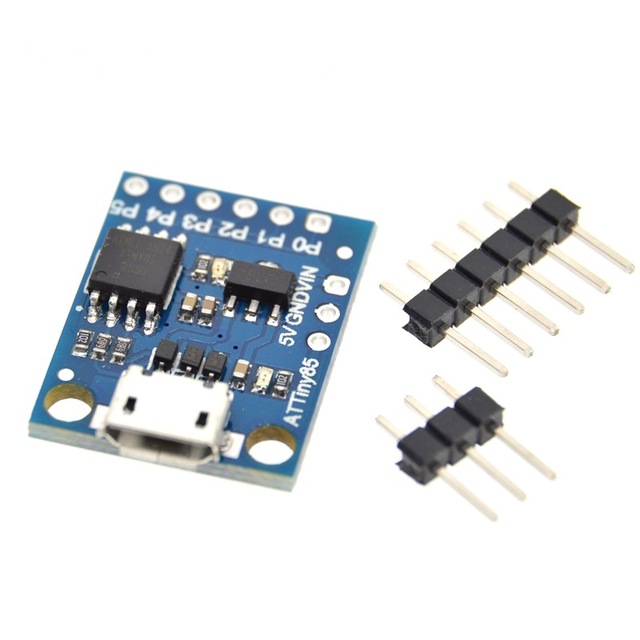
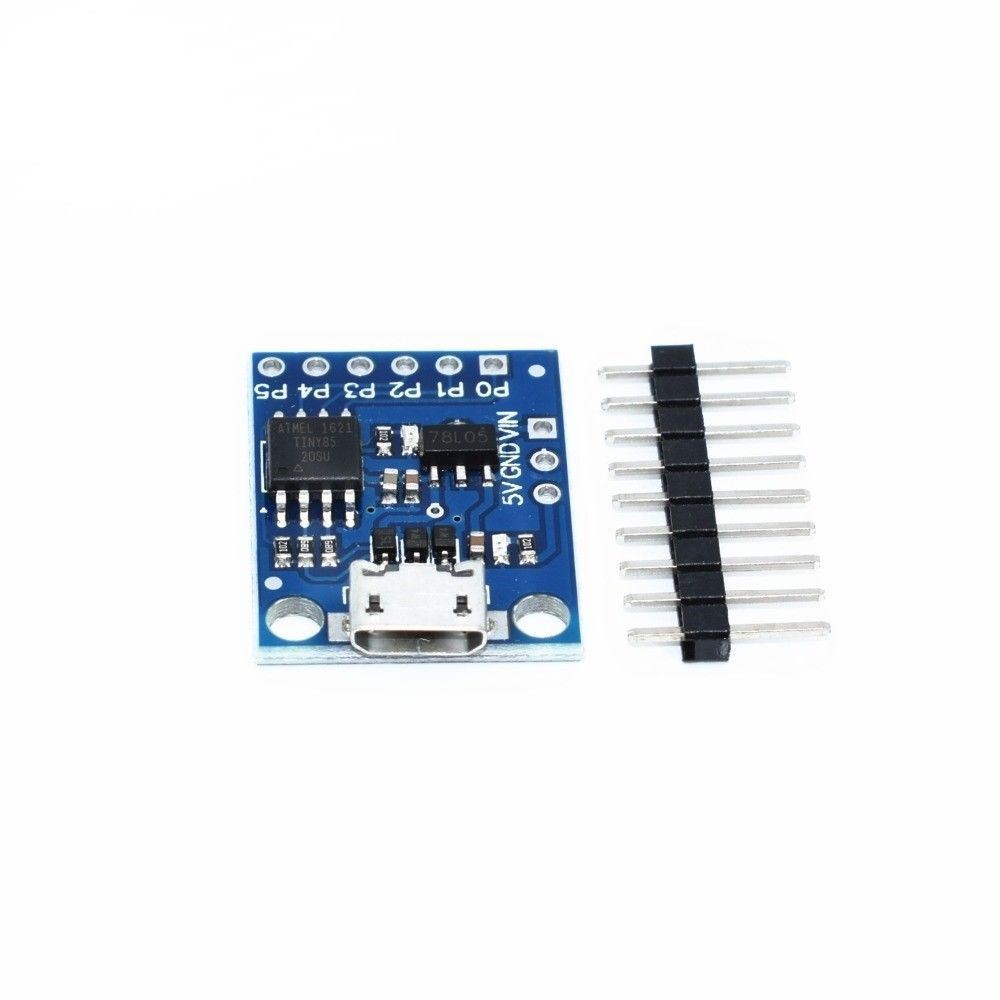
Description
The Digispark Kickstarter ATTINY85 Arduino General Micro USB Development Board (BRD35, R26) is widely recognized as one of the smallest and most economical ways to jump into electronics. If your project does not require the numerous pins of an Arduino Mega or Uno, the Digispark Kickstarter ATTINY85 is the ideal alternative. This board is designed to plug directly into a USB port, eliminating the need for external cables and making it perfect for wearables, small sensor nodes, or rapid prototyping in Rwanda.
Compact Technical Specifications
Despite its miniature size, the Digispark Kickstarter ATTINY85 packs impressive features that rival larger boards:
- Microcontroller: High-performance, low-power Atmel ATtiny85.
- Memory: 8KB of Flash Memory (about 6KB is available for your code after the bootloader).
- I/O Pins: 6 General Purpose I/O pins. Pins 0, 1, and 2 can be used for PWM output, while pins 2, 3, 4, and 5 function as Analog Inputs.
- Communication: Supports I2C and SPI interfaces via USI.
- Power: It features an on-board 500mA 5V regulator, allowing you to power it via USB or an external source (7V-35V, though 12V or less is recommended).
Why Choose the Digispark Kickstarter ATTINY85?
The main selling point of the Digispark Kickstarter ATTINY85 is its convenience. Unlike standard ATtiny chips that require a separate programmer (like an ISP), this board has a built-in USB bootloader (Micronucleus). This means you can program it directly using the familiar Arduino IDE via a micro-USB connection.
Versatile Applications
Makers love the Digispark Kickstarter ATTINY85 for its versatility. It can emulate a USB keyboard or mouse, making it excellent for building custom macro keys or security tools. Because it is compatible with the Arduino ecosystem, you can use many standard libraries to control LEDs, read sensors, or drive small motors. Whether you are repairing electronics or teaching students about microcontrollers, this board offers professional performance at a fraction of the cost.
Getting Started with Digispark Kickstarter ATTINY85
In this project, I will talk about ATtiny85, what are the tools required for Getting Started with ATtiny85 board, installing drivers for Windows OS and finally how to program ATtiny85 Microcontroller using Arduino IDE.
A Brief Note on Digispark Kickstarter ATTINY85
The ATtiny85 Microcontroller is possibly the smallest Microcontrollers available today. It is an 8-bit Microcontroller based on the AVR RISC Architecture. Physically, it needs only 8-pins for complete operation (although some packages like QFN16 use 16-pins just for packaging).
There are three variants of ATtiny85: ATtiny25, ATtiny45 and ATtiny85. The main difference between these three ICs is the amount of memory each device has (Flash, EEPROM and RAM).
ATtiny85 Microcontroller, the target device of this project has 8KB of In-system programmable Flash, 512B of EEPROM and 256B of SRAM.
ATtiny85 Board
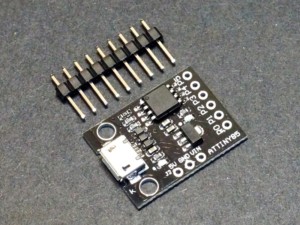
Several manufacturers started developing tiny development boards with ATtiny85 as the main controller. The following image shows on of the boards.
As you can see, apart from the ATtiny85 Microcontroller IC, there are a few other components on the board like a 5V Regulator, headers for I/O pins, few passive components and a MicroUSB port for programming and power supply.
Getting Started with ATtiny85 Board
In this section we are digging into the aspects of how to use this board, what are the necessary tools (like Drivers) and also how to program the ATtiny85 Microcontroller.
Let me start with programming ATtiny85. There are couple of ways you can program your ATtiny85 but I have chosen the easiest of all: using Arduino IDE to program ATtiny85. For this, you need to make some changes to the Arduino IDE.
Next important thing is the drivers. USB Drivers for ATtiny85 Board are very important as the driver is responsible for enabling the Arduino IDE to program the ATtiny85.
Setting up Arduino IDE
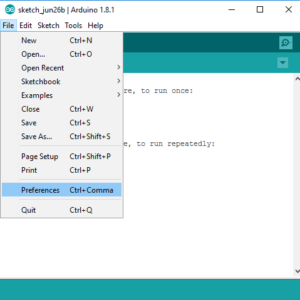
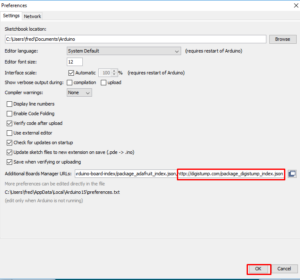
The first step is to setup Arduino IDE for programming ATtiny85. Open your Arduino IDE and go to File à Preferences. In the tab that says “Additional Boards Manager URLs:”, copy and paste the following link and click on ok.
https://digistump.com/package_digistump_index.json
or
https://raw.githubusercontent.com/digistump/arduino-boards-index/master/package_digistump_index.json
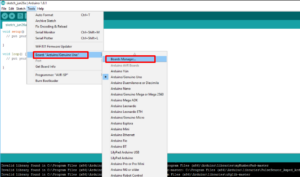
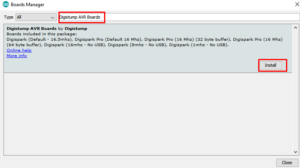
Now, go to Tools → Board: → Board Manager… and search for “Digistump AVR Boards”. Select the same and click on install. If the installation is successful, you can see the board in Tools → Board: option. We will come back to this later.
Installing Drivers
Next step is to install the necessary USB drivers for the ATtiny85 board. I will specify how to install drivers for Windows system. Go to the following link and download the “Digistump.Drivers.zip” file. Extract the contents of the zip file and double click on “DPinst64” application to install the drivers.
NOTE: If your system is a 32-bit system, select “DPinst” application.
Once you have successfully installed the drivers, you can plug in your ATtiny85 board to the computer using an USB cable. To check the connection of the device, go to Device Manager on your Windows and your device will listed the board under “libusb-win32 devices” as “Digispark Bootloader”.
Programming Digispark Kickstarter ATTINY85 with Arduino IDE
Now, you are ready to upload your first program on to your ATtiny85 Microcontroller. You don’t have to plug in your device to the computer until the IDE says so. Even if you plug in, you have to disconnect and reconnect when asked.
First step in programming ATtiny85 is to select the board in Arduino IDE. Go to Tools → Board: and select “Digispark (Default -16.5mhz)” board.
Connect user LED to PB1 of ATtiny85. In order to blink that LED, use the following code.
void setup()
{
  pinMode(1,OUTPUT);
}
void loop()
{
  digitalWrite(1,HIGH);
  delay(1000);
  digitalWrite(1,LOW);
  delay(1000);
}
Click on upload button in Arduino IDE. Assuming you haven’t connected the ATtiny85 to the computer, the Arduino IDE will display a message saying “Plug in device now”. Connect your ATtiny85 board to the computer now, and then the LED will start blinking.
Order Your Board Today
Faranux Electronics offers the genuine Digispark Kickstarter ATTINY85 board with reliable delivery. Add this essential component to your toolkit and start shrinking your projects today.